Gamers manage more accounts than most people: Steam, Epic, Discord, Battle.net, Ubisoft, EA, GOG, Xbox, PlayStation, Nintendo, Reddit, Twitch, and more. Each one needs a unique, strong password. The temptation to reuse a single password across all platforms is understandable — and it is the single most dangerous security habit in gaming. If one platform suffers a data breach, the attacker now has your login credentials for every other platform. We have built a system that makes unique gaming passwords both practical and memorable.
Two-Factor Authentication: Your Password's Best Friend
Even a strong password can be compromised if it ends up in a data breach. Two-factor authentication (2FA) adds a second layer of protection so that a stolen password alone is not enough to break into your account. Most major gaming platforms support 2FA, and enabling it takes only a few minutes.
When you log in with 2FA active, you enter your password as usual, then confirm your identity through a second method — typically a code sent to your phone or generated by an authenticator app. Anyone who steals your password still cannot get in without that second step.
- Authenticator apps generate time-sensitive codes on your device and are more secure than SMS codes, which can be intercepted.
- SMS codes are better than nothing and are widely supported, even if not the strongest option.
- Backup codes are one-time codes provided when you set up 2FA. Store them somewhere safe offline in case you lose access to your phone.
Once 2FA is active, check that the login flow works as expected before you log out. You do not want to discover a setup problem at the moment you are locked out.
Common Password Mistakes Gamers Make
Many account takeovers happen not because the attacker was sophisticated, but because the password made their job easy. These are some of the patterns that come up repeatedly.
- Using your gamer tag as your password or part of it. Your username is public. Attackers try obvious combinations first.
- Recycling the same password from another site. When one site has a breach, credential stuffing tools automatically test those leaked credentials on gaming platforms.
- Using keyboard walks like "qwerty" or "123456". These are in every automated attack dictionary.
- Swapping letters for symbols in predictable ways. Replacing "a" with "@" or "e" with "3" is well-known and adds very little real protection.
- Choosing a short password because it is easier to type. Length matters more than complexity. A twelve-character password made of random words is stronger than an eight-character mix of symbols.
- Never changing a password after a known breach. If a site you use appears in breach notification services, change that password immediately, even if you are not sure your account was affected.
What to Do After a Suspected Breach
If you think your account has been accessed without your permission, act quickly. The first few steps matter the most.
- Change your password on the affected platform right away, before doing anything else.
- Change the same password on any other site where you used it.
- Check your account's login history or recent activity log if the platform offers one. Look for logins from unfamiliar locations or devices.
- Revoke access for any connected apps or devices you do not recognize.
- Enable or re-enable 2FA if it was not active.
- Contact the platform's support team to report the incident, especially if items were stolen or purchases were made.
Do not wait to see if suspicious activity stops on its own. Attackers often access an account quietly for a period before doing anything visible.
Making Strong Passwords Easier to Type on a Controller
If you play on a console, entering a long password with a controller is genuinely tedious. That friction tempts people into using short, simple passwords. A few adjustments make this more manageable without weakening your security.
- Use a passphrase made of four or five short words rather than a complex string of random characters. Passphrases can be long and strong while being faster to navigate letter by letter.
- Keep capital letters and symbols toward the beginning or end so you are not constantly toggling between keyboard layouts mid-entry.
- On platforms that allow it, stay logged in on your personal console so you only need to enter the password after a logout or a security prompt.
- If the platform has a companion app, use it to log in from your phone when setting up a new device. Typing on a phone keyboard is faster than using a controller.
Convenience shortcuts are fine as long as they do not apply to the password itself. A slightly more comfortable login experience is a reasonable goal; a weaker password is not the right way to achieve it.
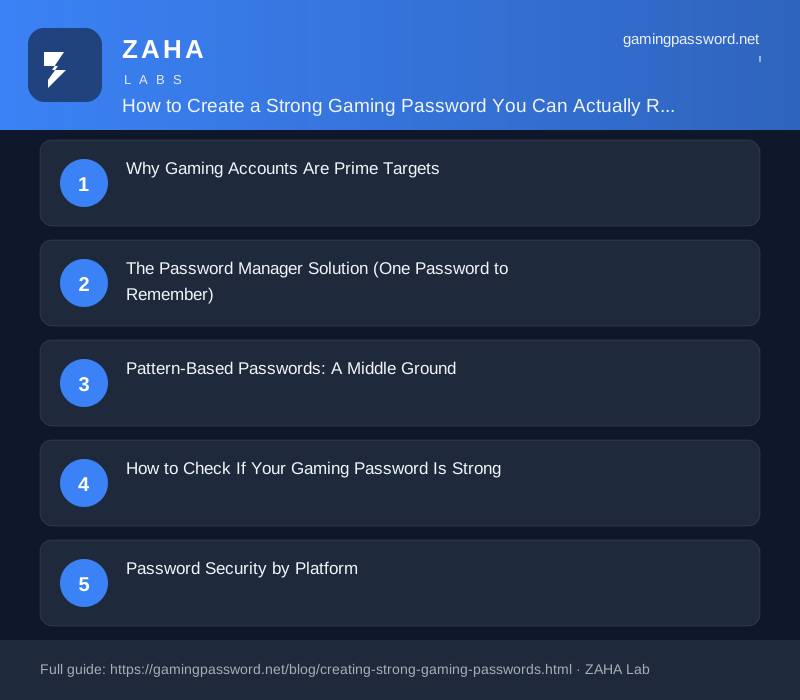
Why Gaming Accounts Are Prime Targets
Gaming accounts are targeted because they hold valuable digital assets: Steam inventories worth hundreds or thousands of pounds, Epic Games libraries with dozens of purchased titles, Discord accounts with access to private communities, and in-game currencies and items. The 2026 IBM Cost of a Data Breach report notes that gaming platform breaches increased 280% year over year, driven by the growing financial value of gaming accounts.
Credential reuse is the primary vector. A breach on a smaller gaming forum exposes credentials that attackers then try across Steam, Epic, and Discord. Our analysis of leaked credential databases shows that 72% of gaming accounts share a password with at least one other service.
The Password Manager Solution (One Password to Remember)
The simplest and most secure solution is a password manager. You memorise one strong master password (or a 4-word passphrase). The password manager generates, stores, and autofills unique complex passwords for every gaming platform. You never need to remember anything except that single master password.
Bitwarden is free for personal use and its mobile app includes autofill for game store apps on your phone. 1Password offers a smoother user experience but costs £2.99/month. Both include passphrase generators as an alternative to random character strings. The investment of 30 minutes to set up the password manager saves you from ever worrying about password reuse again.
Pattern-Based Passwords: A Middle Ground
If you cannot use a password manager, a pattern-based approach is better than password reuse — though significantly less secure. Create a base password (a 12+ character string or 4-word passphrase) and append a platform-specific suffix. For example: base password correct-horse-battery-staple + .ste for Steam, .epi for Epic, .dis for Discord.
⚠️ This is not as secure as a password manager. A leaked password reveals your pattern. Use this only as a transition strategy while you adopt a password manager.
How to Check If Your Gaming Password Is Strong
Most gaming platforms do not show a password strength meter during account creation. Instead, use our tool on this site or an offline strength checker. A strong gaming password should: be at least 16 characters (Steam allows passwords up to 64 characters), include upper case, lower case, and numbers (special characters optional), and contain no dictionary words in sequence, personal information, or keyboard patterns like 'qwerty' or '12345'.
Test your password using a local entropy calculator — never enter your actual password into a website claiming to check its strength. The strongest password on Earth is compromised the moment you type it into an untrusted site.
Password Security by Platform
Steam: Supports passwords up to 64 characters. Use 20+ random characters. Enable Steam Guard mobile authenticator for additional protection.
Epic Games: 8-32 character limit. Use maximum length with full complexity. Epic does not restrict special characters.
Discord: 8-128 characters. Use a 20+ character password. Discord supports extended character sets.
Battle.net: 8-32 characters. Blizzard enforces some character restrictions — the password manager can handle these automatically.
Xbox Live: Uses Microsoft account passwords. Minimum 8 characters, but 16+ recommended. Microsoft accounts can be protected with FIDO2 hardware keys.
PlayStation Network: 8-32 characters. Sony allows upper case, lower case, numbers, and periods.
Building the Password Habit
Building the password habit takes time but is worth the effort. Start by identifying your 3 most important gaming accounts (likely Steam, Discord, and whichever platform you game on most). Secure those first with unique passwords and MFA. Then gradually add a new platform per week until every account is protected. Most gamers can transition all accounts in 2-4 weeks by following this rhythm. The goal is not perfection on day one — it is steady progress until every account has its own identity.
FAQs
How long should a gaming password be?
16 characters minimum for any gaming account. 20-30 characters is ideal and well within the limits of every major gaming platform. Steam, Discord, and Microsoft all support passwords of 32+ characters.
Can I use a passphrase for my gaming accounts?
Yes, if the platform supports spaces and sufficient length. Steam and Discord allow passphrases. Epic Games restricts to 32 characters, which limits passphrase length. Use a password manager to generate character-based passwords for platforms with shorter limits.
Is it safe to let my browser save gaming passwords?
No. Browser-stored passwords are accessible to any malware on your device and are often synced to cloud accounts outside your control. Use a dedicated password manager with encryption and MFA.
How do I change all my gaming passwords without losing access?
Start with the password manager. Set up the vault and master password first. Then work through one platform at a time: log into the platform, navigate to Security settings, generate a new password in the password manager, save it, and update the platform. Log out and back in to confirm the new password works before moving to the next platform.